Your AI bench partner for hardware integration.
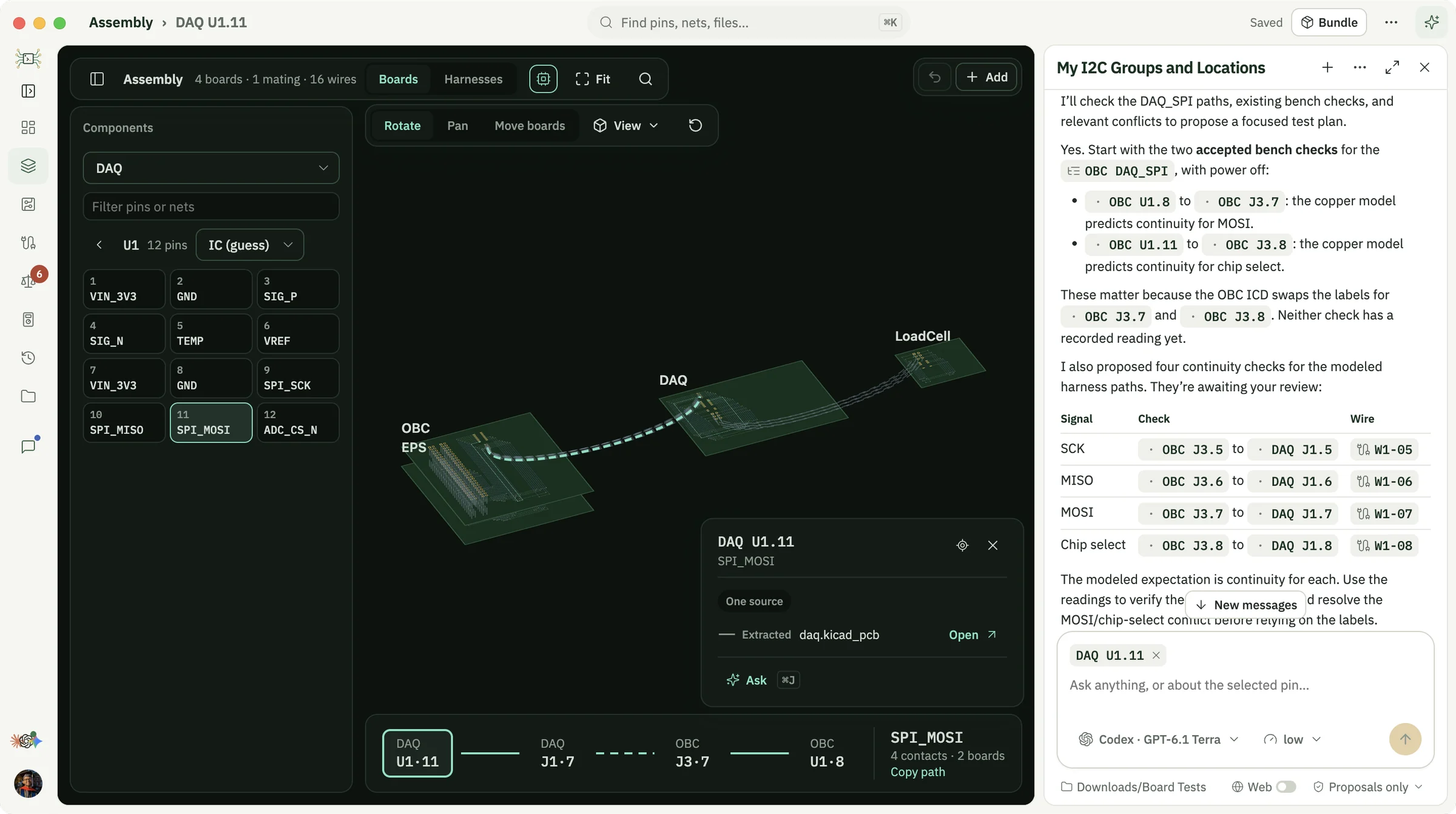
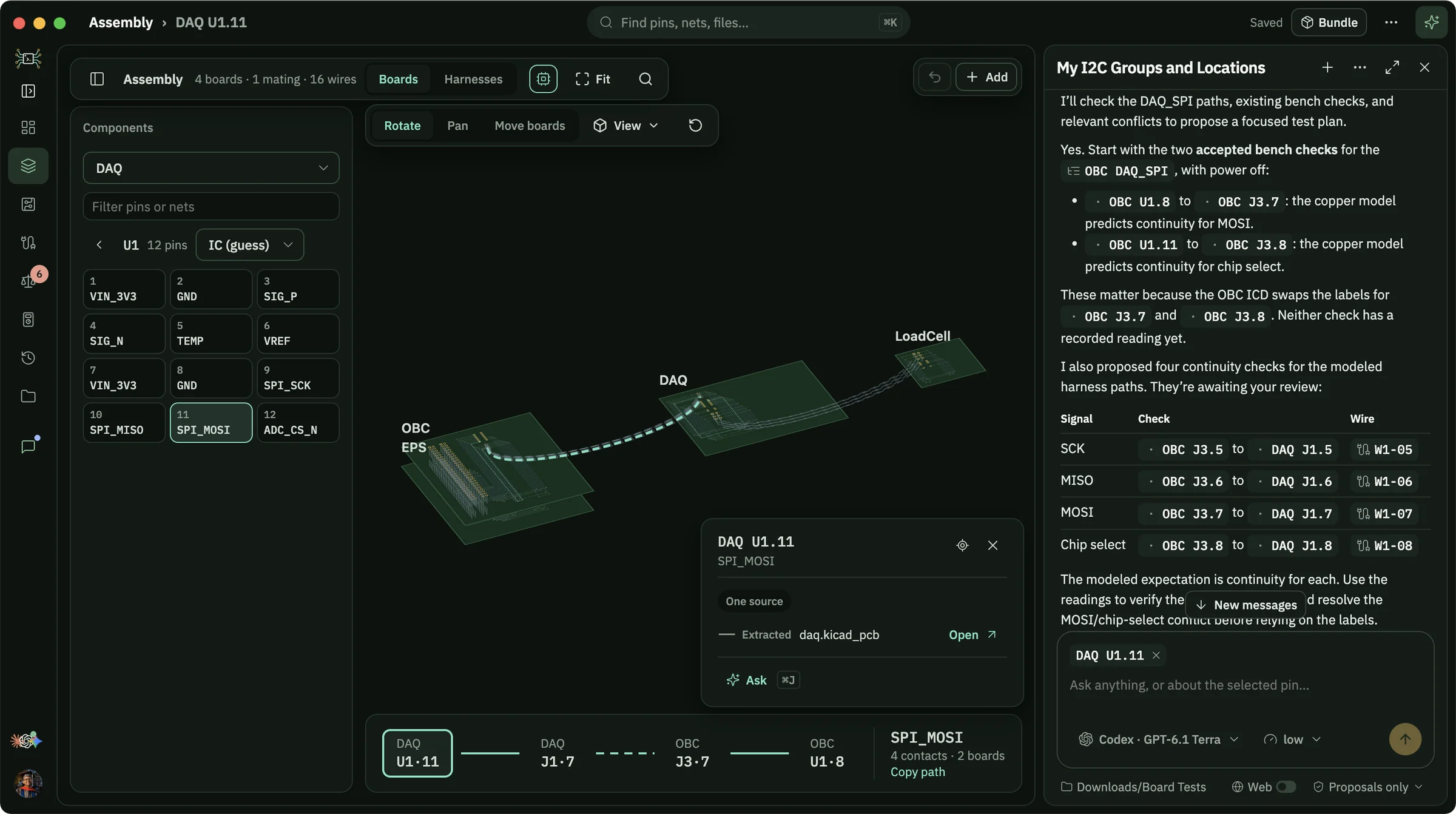
silkscreen turns your ECAD files, Gerbers and pinout documents into one assembly record, then works with your AI harness of choice to resolve conflicts before integration, guide checks at the bench, and answer any questions you have, down to every pin and wire.
Free, offline and yours.
No account
Download it, open a project, start working. There's nothing to sign up for.
No subscription
silkscreen is free for personal use. Your agent runs on the plan or API access you already have.
Fully offline
The app, your projects and your design files stay on your machine. The only network traffic is what your own harness sends to its model.
Trace any net across the assembly.
Start from whatever you have.
Hand over a whole delivered folder and silkscreen sorts boards from documents by what's inside them. Design files when you have them, documents when you don't, and the bench when nothing else agrees, all in one wiring record that keeps track of which source said what.
Design files
- KiCad 5 and later
- Gerber ZIPs and Excellon drill
- EAGLE
- IPC-D-356 netlists
Documents
- ICD and pinout spreadsheets
- Wire lists
- Schematic PDFs
- Datasheets
- Project bundles
Bench
- Continuity checks
- Isolation checks
- Meter readings
- Anomaly log
One wiring record, from the first file to the bench.
Every line says how we know it.
Bring your own agent.
Claude Code, Codex or Antigravity drive silkscreen through the same operations as the interface. They trace signals, read the ICDs and schematics, plan bench checks and explain what a conflict does electrically.
Each chat runs in Proposals only, where every change waits for you, or Auto mode, where changes apply at once and are logged in Activity. Web lookups for datasheets stay off until you allow them.
You bring your own deployment. silkscreen drives the harness CLI you already have installed, signed in however you like: a Claude or ChatGPT subscription, API keys, or your company's own access. silkscreen never sees your credentials, and design files never leave your machine.
The OBC ICD is also stale. Pinout!C19 and C20 swap J3.7 and J3.8, and the schematic agrees with copper.